


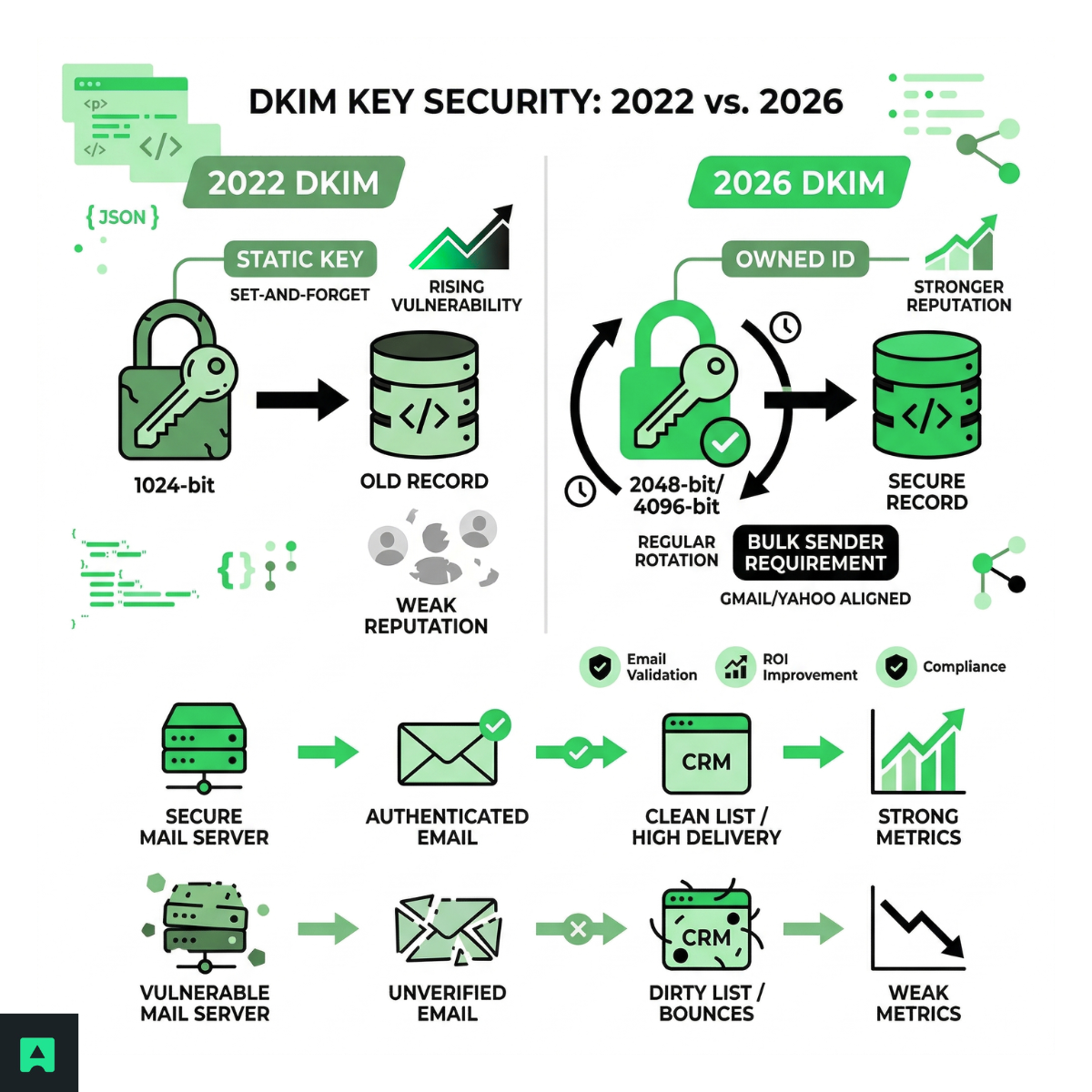
2026 update: why 2048-bit is non-negotiable
1024-bit RSA keys were considered adequate through the early 2020s. That window has closed. Modern GPU-assisted factorization has brought the theoretical cost of breaking a 1024-bit key into practical territory for well-resourced attackers. NIST deprecated 1024-bit RSA for new use cases in 2023, and major inbox providers have since updated their scoring algorithms to treat 1024-bit DKIM signatures as a weaker trust signal.
Default to 2048-bit for all new DKIM key generation. Most modern DNS providers handle the longer TXT record without issue. If yours doesn't, the workaround is straightforward — keep reading.
What makes a DKIM record generator actually good
Not every generator is worth your time. Before you paste a key into your DNS, you need to know what the tool behind it actually supports.
RSA-SHA256 support
SHA-1 is deprecated. Any generator that doesn't explicitly confirm RSA-SHA256 output should be skipped. This is the current industry standard and what modern mail servers expect when verifying your signature.
Selector customization
Your DKIM selector is the DNS label that links your public key to your outgoing mail. Generators that lock you into a generic name like default or mail make key rotation unnecessarily messy. You want a tool that lets you define your own selector — for example, abstract2026 or corp-jan26 — so you can run two keys in parallel during a rotation without breaking existing mail in transit.
Key length toggle with a clear warning
A proper generator gives you a clear choice between 1024-bit and 2048-bit keys, and ideally flags the trade-off: 2048-bit keys produce longer TXT records that some older DNS managers struggle to handle. The fix is splitting the key across two TXT records — but a good tool tells you this upfront rather than leaving you to debug it after a failed DNS lookup.
Top 6 DKIM record generators (updated for 2026)
1. EasyDMARC — best for enterprise
EasyDMARC's managed DKIM tracks your key age and sends rotation reminders before you're exposed. For teams managing multiple sending domains, that lifecycle layer is worth the subscription on its own.
Strengths: Automated rotation reminders, multi-domain management, strong DMARC compliance integration, 2048-bit by default.
Trade-off: Full features require a paid plan.
2. PowerDMARC — best for security teams
PowerDMARC's DKIM NS record approach moves key management off your DNS entirely and onto their managed platform — rotation happens server-side, no DNS edits required.
Strengths: Delegated key management, hosted rotation, DMARC enforcement dashboard.
Trade-off: You're handing a third party a core piece of your authentication chain. Evaluate carefully for high-security environments.
3. DMARCLY — best for startups and SMBs
Clean interface, clearly labeled output, and a setup wizard that tells you exactly where each record goes. The right tool if you want DKIM done correctly without wading through RFC-level documentation.
Strengths: Simple setup flow, 2048-bit support, affordable for small teams.
Trade-off: Less suited for complex multi-domain environments.
4. Mimecast and Proofpoint — best for enterprise security infrastructure
Both platforms fold DKIM key management into a broader secure email gateway — integrated with spam filtering, DLP, and threat intelligence. You're not managing DKIM in isolation; it's part of a hardened pipeline.
Strengths: Deep enterprise security integration, centralized policy management, compliance reporting.
Trade-off: Full platform solutions. If you don't need the entire stack, the cost won't justify it.
5. DKIMCore — best for developer control
Command-line RSA key generation, clean TXT record output, no account required. The best option for developers who want full control or need to automate key generation inside a CI/CD pipeline.
Strengths: Free, open-source, scriptable, zero external dependencies.
Trade-off: No UI, no rotation reminders, no lifecycle management. You own all of it.
6. SocketLabs — best for high-volume senders
Built for the complexity of sending at scale — multiple IP pools, multiple selectors per domain, automated signing across your full sending infrastructure.
Strengths: High-throughput DKIM signing, multi-selector management, DMARC alignment reporting.
Trade-off: Overkill for standard volumes. Pricing is volume-based.
What DKIM doesn't solve
DKIM earns your domain's trust with the recipient server. It doesn't guarantee your emails are deliverable.
Even fully authenticated emails fail if your list contains invalid addresses, disposable emails, typos, or addresses that will hard-bounce. Authentication and list hygiene solve different problems — and a strong DKIM record doesn't fix the second one.
This is where Abstract's Email Validation API fits in. It checks MX records, flags disposable and role-based inboxes, and confirms deliverability in real time — before a message is ever sent.
// Validate an email address before adding it to your send queue
const response = await fetch(
`https://emailvalidation.abstractapi.com/v1/?api_key=YOUR_API_KEY&email=user@example.com`
);
const data = await response.json();
if (data.deliverability === "DELIVERABLE" && !data.is_disposable_email.value) {
queueEmail(data.email); // Safe to send
} else {
console.log(`Skipping ${data.email}: ${data.deliverability}`);
}
DKIM proves the message is authentic. Abstract's Email Validation confirms the address at the other end is real. Use any generator on this list for the first problem — and Abstract for the second.
The DKIM key rotation protocol
Why you need to rotate DKIM keys
A DKIM private key is a secret. If an attacker gets access to it — through a server compromise, a configuration leak, or a misconfigured deployment — they can sign outgoing mail that looks exactly like it came from your domain, indefinitely, until you change the key.
There's no alert when a private key is compromised. You often don't know it happened until your domain appears in a phishing report or your deliverability drops unexpectedly. This is why rotating DKIM keys regularly isn't a nice-to-have — it's a baseline security practice.
The 180-day rule
Rotate your DKIM keys every six months. This is the practical middle ground: frequent enough to limit your exposure window if a key is silently compromised, infrequent enough that the operational overhead stays manageable.
For high-security environments or domains that have experienced an incident, rotate immediately and consider moving to a 90-day cycle going forward.
The graceful handover method
The biggest rotation mistake is deleting the old key before the new one has propagated. Mail servers cache DNS records, and any message signed with the old key during that window will fail verification. Here's the safe sequence:
Testing and validating your DKIM setup
Step 1: verify the record is installed correctly
Before you consider your setup done, confirm the record resolves correctly. Every major tool in this list includes a DKIM inspector — paste your domain and selector, and it will confirm that the public key in DNS matches what your mail server is signing with.
You can also run a quick DNS lookup directly:
# Query the DKIM TXT record for selector "abstract2026" on domain "example.com"
dig TXT abstract2026._domainkey.example.com +short
The output should return your public key. If it returns nothing or an error, the record isn't published correctly — check your DNS provider's handling of long TXT records, which may need to be split for 2048-bit keys.
Step 2: send a test message
Tools like mail-tester.com and Google Postmaster Tools will show you exactly how your DKIM, DMARC, and SPF alignment reads from the recipient side. Run a test send after any DKIM change before you resume normal sending volume.
Step 3: validate your list
Authentication confirms that your domain is who it says it is. Deliverability confirms that the address you're sending to is real and reachable. Before any significant send, run your list through Abstract's Email Validation API to remove hard-bounce candidates, disposable addresses, and known spam traps.
For a deeper breakdown of how validation improves deliverability end-to-end, see the email validation guide. If you're building this into production systems at scale, it's also worth understanding how API rate limits affect validation workflows under load.
Future-proofing your domain with DKIM
A DKIM record is only as strong as its key length and its freshness. A 2048-bit key installed three years ago and never rotated is not meaningfully more secure than a 1024-bit key in current practice — the exposure window is the same.
The practical checklist:
- Audit your current DKIM key length. If it's 1024-bit, rotate now using a proper 2048-bit generator.
- Check your selector name. If it says default or mail and you've never changed it, you've never rotated.
- Set a calendar reminder to rotate DKIM keys every 180 days.
- Add email validation to your pre-send workflow so your authenticated domain is sending to real inboxes.
For enterprise teams with complex infrastructure, EasyDMARC or PowerDMARC will carry most of the operational weight. For developers who want full control, DKIMCore plus Abstract's Email Validation API gives you a clean, scriptable pipeline with no dependencies you don't own.
If you're unsure where to start, audit your current key length first. If it's 1024-bit, rotate now — every other improvement builds on that foundation.
