


How to Pick Up the Best DNS Lookout Tools in 2026?
The criteria to decide which are the best DNS lookup tools aren't set in stone. However, there are some must-have points that any good software must comply with.
At Abstract API, we selected the best DNS lookup tools based on the following criteria, adjusted to 2026 standards:
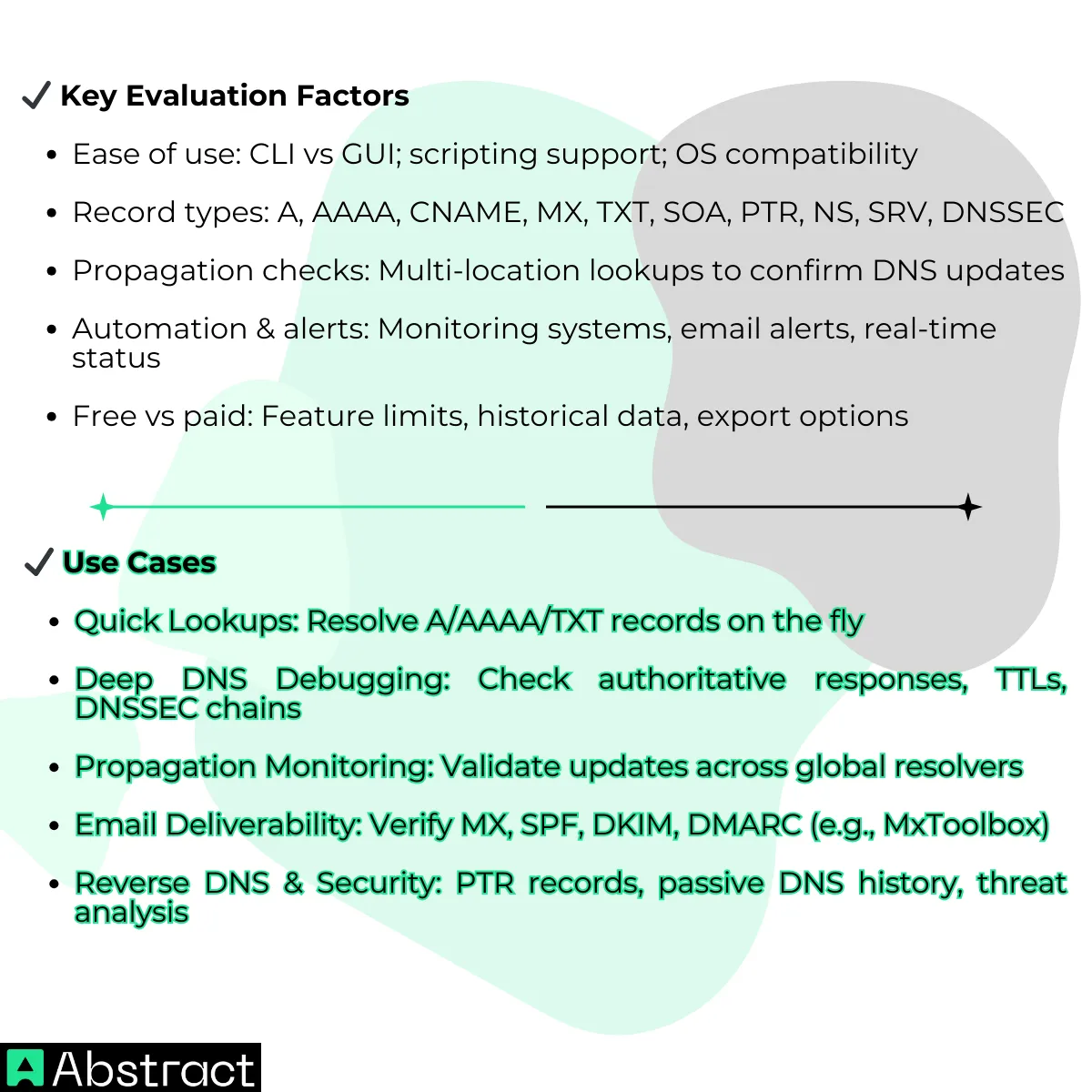
Now that you know the criteria behind our ranking, let's dive into our top choices for the best DNS lookup tools available in 2026.
Category 1: The Engineering Standards (CLI Tools)
Command-line DNS utilities are indispensable for developers and DevOps workflows. These tools retrieve detailed DNS metadata and integrate cleanly with scripts and CI/CD pipelines.
CLI tools are accessed via console or terminal. Users type text commands to perform DNS lookups. With Dig, for example, it would look like this, if you use the tool to trace a specific DNS resolution:
dig +trace example.com
The tool would then respond with the servers that answered, their TTL values, the authority chain, and the raw DNS behavior:
example.com. 172800 IN NS a.iana-servers.net.
example.com. 172800 IN NS b.iana-servers.net.
example.com. 86400 IN A 93.184.216.34
Typically, the best command-line DNS tools are used to integrate automated DNS checks, troubleshoot production issues, and validate DNS configuration. However, some tools are more suitable than others for specific tasks.
Here's our top pic of command-line DNS tools for 2026, with their pros and cons:
Dig
One of the best CLI tools for DNS lookups is Dig, the gold standard for serious DNS debugging or for DevOps teams verifying DNS changes after deployments.
This command-line tool offers in-depth visibility into DNS records, authoritative versus recursive responses, and raw packet data. Dig also features the +trace and +short flags, specific to this tool.
While you can find the underlying functionality (showing the full DNS resolution path or only the final answer) in other tools, Dig implements it more cleanly, giving you fine-grained control over both resolution and output.
Pros:
- Extremely flexible
- Perfect for scripting and automation
- Offers full DNS response sections (Answer, Authority, Additional)
Cons:
- Steep learning curve
NSLookup
A simpler CLI alternative is NSLookup. This command-line utility lets you perform interactive and non-interactive DNS lookups, allowing you to query specific record types and resolvers.
While it's less transparent and flexible than Dig, NSLookup remains widely used thanks to its human-friendly output and its availability on Windows, Linux, and macOS.
The tool's documentation is available online, making it easy to learn and use for basic tasks. However, a basic understanding of how DNS works is still helpful to interpret results correctly.
Being built into Windows, requiring minimal syntax, and providing instant feedback, NSLookup is ideal for quick checks during troubleshooting or for validating that a domain resolves correctly.
Pros:
- Installed by default
- Straightforward syntax
Cons:
- Limited advanced options vs dig
Host
Host is another command-line DNS tool that stands out in 2026. It performs especially well for quick checks in both forward and reverse lookups (domain to IP and IP to domain).
This CLI lookup tool is included in most Linux distributions and is commonly available in CI/CD environments, eliminating the need for extra dependencies or complex setup.
Unlike dig, Host is designed to return short, single-line answers with minimal verbosity. Most queries can be run with a single command, making it ideal for fast, script-friendly automation.
Thanks to its narrow focus, Host is a reliable choice for monitoring scripts, DNS sanity checks, and deployment validations.
Pros:
- Very fast
- Clean output
Cons:
- Less detailed output
| CLI Tool | Main Features | Best For | Pricing |
|---|---|---|---|
| dig | Detailed DNS queries, trace mode, flags control resolution behavior | Debugging and propagation analysis | Free |
| nslookup | Simple DNS queries, interactive and non-interactive mode | Quick checks and basic troubleshooting | Free |
| host | Clean, concise DNS answers, easy scripting output | Automation and scripted lookups | Free |
Category 2: Web-Based Intelligence
Online tools are typically used for quick DNS lookups through a user-friendly interface, often with visual reports and additional contextual data. A typical DNS lookup via a web interface retrieves:
- Domain name
- DNS record type (A, NS, MX, etc.)
- Record values (IP addresses or hostnames)
- Time-to-live (TTL)
- Errors (if any)
Keep in mind that these tools don't offer full control over how or where queries are executed, nor do they support automation. They may also rely on third-party caching and enforce rate limits. Still, they're more than sufficient for email and DNS health checks, propagation testing, and quick audits.
Here's our top pick of the best web-based DNS lookup tools available in 2026, along with their pros and cons:
Whatsmydns.net
If you need to check DNS propagation, Whatsmydns.net offers a quality, simple service with accurate results and a focus on map visualization.
This is a lightweight tool, with a clean and fast interface that allows you to promptly follow up on the global status of DNS changes when configuring new domains.
Pros:
- Instant global lookups
- Very easy interface
Cons:
- Limited configuration options
MxToolbox
MxToolbox is one of the best web-based DNS lookup tools. It provides a huge suite of DNS & email auditing tools, making it highly popular among email administrators and marketers. MxToolbox is typically used as a "super tool" that boosts email deliverability.
This DNS propagation checker verifies the sender and the recipient's SPF, DKIM, and DMARC records to ensure the emails are properly authenticated and don't land in the spam folder.
Besides performing DSN lookups, this tool has a set of email validation-specific features, including MX records, SPF, DKIM, DMARC validation, blacklist monitoring, and SMTP diagnostics.
Pros:
- Clear reports
- Excellent for email health
Cons:
- Alerts and monitoring require a paid plan
Want to leverage the advantages of advanced IP insights and automated email validation? Explore Abstract API's suite and discover the benefits of our IP intelligence + email validation & verification APIs combo.
ViewDNS.info
ViewDNS.info offers a broad collection of DNS, IP, and domain investigation tools, ideal for fast, no-login checks
Offering broad surface visibility, relationship mapping, and historical context, this web-based tool is a solid choice for quick security and OSINT checks
Despite being outdated, the UI is intuitive and easy to use. It delivers unique features, including reverse IP and WHOIS lookups, DNS propagation checker, and traceroute and ping checks.
Pros:
- Free and easy to use
- Wide variety of DNS-related tools
- No account required
Cons:
- Outdated UI
- Limited historical data
| Web-based Tool | Main Features | Best For | Pricing |
|---|---|---|---|
| Whatsmydns.net | Global DNS propagation checker and DNS record lookups; simple interface | Propagation checks & quick DNS record viewing | Free |
| MXtoolbox | Queries DNS, MX, blacklist, SMTP, and more; diagnostic reports and checks | Comprehensive domain health + DNS diagnostics | Free (basic). Paid tiers for advanced tools |
| ViewDNS.info | DNS record lookups, propagation analysis, email/server tests, uptime, and misconfiguration checks | Broader domain & DNS analysis | Free |
Category 3: Programmable DNS (APIs for Developers)
Our third category of top DNS lookup tools includes IP intelligence APIs with DNS lookup capabilities. These services allow you to query, process, and act on DNS data programmatically, making them ideal for automation and large-scale checks.
While APIs are not designed for interactive debugging or exploratory lookups, they shine when DNS validation, monitoring, or enrichment needs to be automated.
Most DNS lookup APIs return results in JSON format. For example, using the DNS endpoint of Abstract API's IP Intelligence API for a basic lookup:
GET https://dns.abstractapi.com/v1/?api_key=YOUR_API_KEY&domain=example.com&type=A
You'll receive a structured JSON response with processed data that's easy to parse programmatically:
{
"domain": "example.com",
"record_type": "A",
"records": [
{
"ip_address": "93.184.216.34",
"ttl": 86400
}
]
}
Unlike command-line tools, most DNS APIs offer limited control over resolver behavior, flags, and resolution paths, since queries are executed through the provider's infrastructure.
However, comprehensive data coverage can be more than enough to make up for the lack of control, especially when paired with API's automation capabilities.
That said, here's our top pick of DNS lookup APIs available in 2026, along with their pros and cons:
Abstract API
One of the best DNS lookup tools of 2026 is Abstract API's IP Intelligence API. Unlike raw DNS tools, our API provides contextualized IP data that complements DNS resolution during network analysis and security investigations.
Designed for automation-first environments, it helps streamline security decisions and monitoring workflows by enriching resolved IPs inside CI pipelines, applications, or observability systems.
This programmable DNS API offers global coverage across more than 4 billion IPv4 and IPv6 addresses, with built-in detection for TOR traffic, proxies, and VPNs. It delivers data beyond basic DNS responses, offering actionable insights such as IP geolocation, ISP, connection type, and IP reputation scoring.
Pros:
- Simple setup
- Easy REST API integration
- Clean JSON responses
- Ideal for automated workflows
Cons:
- Free tier has usage caps
- Custom configuration is limited
With a 99.99% uptime SLA, scalable pricing tiers, and 24/7 support, Abstract API's IP Intelligence API positions itself as a leading programmatic tool for DNS-enriched intelligence in 2026.
Cloud DNS
Another high-performance DNS service, accessed via API, is Google Cloud DNS. This software is designed to host and serve DNS records, allowing you to configure DNS zones, manage routing policies, and enable DNSSEC for added security.
Cloud DNS delivers low-latency DNS responses with full IPv4 and IPv6 support and global coverage. The API uses JSON-based requests, making it easy to integrate DNS management into workflows and automated deployments.
While it's not a diagnostic or lookup tool, it plays a critical role in ensuring fast and reliable DNS resolution for applications and services.
Pros:
- Extremely reliable
- Low latency worldwide
- Strong security standards
Cons:
- No UI or reporting
- Not designed for diagnostics
Cloudflare (DoH)
Cloudflare's DNS service is one of the leading options in 2026 when it comes to privacy-focused DNS resolution in web apps and client environments.
This API delivers HTTPS (DoH) and TLS (DoT) encryption, securing raw DNS traffic and protecting it from interception, tampering, and on-path monitoring.
Cloudflare provides global coverage, full IPv4 and IPv6 support, and low latency. It also offers optional client software (apps) that simplifies the setup across devices, and some of which (DoH) can be configured independently on most modern platforms and browsers.
Pros:
- Strong privacy protections
- Very low latency
- Easy to configure on most platforms
Cons:
- Does not natively expose advanced DNS record insights
SecurityTrails
SecurityTrails' API is a fully equipped solution for querying DNS and IP-related records at scale, as well as mapping DNS changes over time.
This API supports reverse DNS lookups and a wide range of passive DNS capabilities, making it possible to gather deep historical insights into domains, subdomains, and internet-facing infrastructure.
Pros:
- Extensive historical data
- Excellent for research and audits
- Strong API capabilities
Cons:
- Paid plans are required for full access
- Overkill for simple lookups
| DNS API | Main Features | Best For | Pricing |
|---|---|---|---|
| Abstract API (IP intelligence) | DNS-enriched lookup data, with rich IP context (reputation, geolocation, VPN/proxy/TOR detection) | Automation and data enrichment in apps and pipelines | Free (basic). Paid plans (tiered) |
| Google Cloud DNS (API) | Authoritative DNS hosting and record management via API | Automating DNS record management | Free up to quotas; usage-based pricing |
| Cloudflare (DoH / DNS API) | Secure, encrypted DNS resolution (DoH), and DNS management APIs | Secure, privacy-focused resolution and DNS automation | Free (basic). Paid plans (advanced) |
| SecurityTrails API | Current and historical DNS, WHOIS, passive DNS, domain/IP intelligence | Research, historical analysis, and security investigations | Paid plans (tiered) |
Beyond the Internet's Phonebook
Time to choose the DNS tool that best fits your day-to-day workflow. In this guide, we've reviewed ten of the top DNS lookup tools of 2026, from command-line utilities to web platforms and programmable APIs.
Each of these tools is designed to address different needs, whether that's quick troubleshooting, historical research, privacy-focused resolution, or fully automated checks at scale.
The right choice comes down to balancing data depth, ease of use, and advanced capabilities to gain a tool that goes beyond a simple internet phonebook.
In 2026, build, debug, and deploy with confidence. Automate DNS checks, enrich IP data, and integrate intelligence directly into your applications. Get your free API key now and start building better and faster, with Abstract API.
Frequently Asked Questions
What is a DNS lookup tool and what is it used for?
A DNS lookup tool queries DNS servers to retrieve records for a domain, such as A, MX, TXT, CNAME, or NS records. Developers and sysadmins use them to debug resolution issues, verify email authentication settings (SPF, DKIM, DMARC), and track how quickly DNS changes propagate across the internet.
What is the difference between CLI tools, web-based tools, and DNS APIs?
CLI tools like dig, nslookup, and host run in a terminal and are ideal for one-off queries and scripting in CI/CD pipelines. Web platforms like MxToolbox and Whatsmydns.net offer a visual interface with global propagation maps, but enforce rate limits. DNS APIs return structured JSON and are designed for programmatic access: useful when you need automated lookups, large-scale monitoring, or enriched data like geolocation and reputation scoring.
When should I use dig instead of nslookup?
Use dig when you need deep visibility: it supports trace mode (showing every step of resolution), outputs raw DNS packet data, and integrates cleanly into shell scripts. Nslookup is Windows-native and produces more human-readable output, making it a faster choice for quick interactive queries on Windows machines without extra tooling installed.
How do I check whether a DNS change has propagated globally?
Web tools like Whatsmydns.net show real-time results from resolvers in dozens of countries on a map, letting you see exactly which regions have picked up the new record and which are still serving the old TTL. CLI tools only query from your local resolver, so they won't reflect propagation status in other regions.
When does it make sense to use a DNS API instead of a CLI or web tool?
DNS APIs are the right choice when lookups need to happen automatically: for example, validating a user's domain during onboarding, running nightly security checks, or enriching IP addresses with geolocation and VPN/proxy detection at scale. APIs like Abstract's IP Intelligence return structured JSON, making it straightforward to parse results and act on them in application code without manual steps.
Which DNS tools help with email deliverability and authentication?
MxToolbox is the most widely used web tool for auditing SPF, DKIM, and DMARC records; it flags misconfigurations and explains what each record controls. For automated email validation at scale, a DNS API that returns TXT records lets you programmatically verify that a domain's email authentication is correctly configured before sending to it.
